
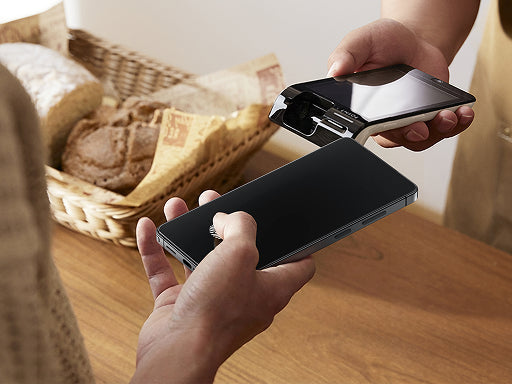
Someone on the subway can read your messages just as easily as you can. A privacy screen protector fixes that without changing how your iPhone looks or feels from your own angle. Here's how the technology actually works, what it feels like to use daily, and which situations make it genuinely worth having on your iphone privacy screen protector setup.
How a Privacy Screen Protector Blocks Side-Angle Views on Your iPhone
An iphone privacy screen protector uses a technology called louver micro-structure (a microscopic filter built into the glass layer, similar to a venetian blind effect). Tiny vertical columns embedded in the protector allow light to pass straight through toward the viewer directly in front, while blocking light from escaping at wider angles. Anyone looking from the side sees a darkened or blacked-out screen. The person holding the phone sees everything normally.

This is a purely physical optical effect. It does not require software, settings, or any interaction with the iPhone itself. The filter works the same way regardless of what app is open or what content is on screen.
Two things make this technology effective in practice:
- Precision of the micro-structure. The tighter and more consistent the louver columns, the cleaner the cutoff between visible and blocked angles.
- Full-screen coverage. A protector that covers the entire display, including curved edges, eliminates gaps where side-angle viewing might still be possible.
What the 25-Degree Viewing Angle Feels Like in Real Life
The 25-degree refers to the maximum angle from the center at which the screen remains fully visible to the user. In practical terms, 25 degrees is a fairly tight cone. It means someone sitting directly beside you on a train or standing slightly behind you in a line cannot read your screen. They see darkness or at most a faint outline, not readable content.
Here's how that plays out across common daily situations:
- Public transit. Shoulder-to-shoulder seating is exactly the scenario a privacy phone screen is designed for. Anyone in the adjacent seat is well outside the 25-degree cone.
- Open-plan offices. Colleagues walking past your desk or sitting at an angle nearby cannot see what's on your phone screen, even in a bright environment.
- Cafés and waiting rooms. Strangers seated nearby or walking behind you are effectively blocked from reading your display.
- ATMs and checkout counters. Entering PINs or viewing financial information is significantly more secure with a privacy filter active.
The 25-degree angle does mean you need to hold the phone relatively straight in front of you. Tilting the screen at a steep angle toward a table reduces your own visibility. For most upright phone use, this is not a practical issue.
How a Privacy Screen Protector Affects Brightness, Clarity, and Touch
Using a privacy screen protector on your iPhone changes a few things about the viewing experience worth knowing before you buy.
Brightness and Color
The louver micro-structure that blocks side angles also reduces the total amount of light reaching your eyes from the display. The louver micro-structure focuses light forward, which means the display is best viewed at slightly higher brightness in well-lit environments. Increasing screen brightness compensates for this easily in most conditions. Color accuracy is well-preserved when viewed straight on, keeping images and text looking natural and clear.
Clarity and Touch Sensitivity
Clarity from the direct viewing position is high on well-made iphone privacy screen protectors. The micro-structure is designed to be invisible to the straight-on viewer, so text, images, and video look sharp and clean.
Touch sensitivity is another area where quality matters. A properly engineered privacy screen protector maintains the same level of touch responsiveness as the original screen. The glass layer thickness plays a role here. Thinner protectors, particularly those in the 0.7mm range, tend to preserve the natural feel of the display without adding noticeable resistance to swipes or taps.

Who Gets the Most Value From an iPhone Privacy Screen Protector
A privacy screen protector is not equally useful in every situation. The value scales directly with how often and where you use your iPhone.
The clearest use cases are:
- Frequent commuters. Anyone who regularly uses their phone on public transit, in rideshares, or in crowded public spaces gets consistent daily protection from visual snooping.
- Professionals handling sensitive information. People who regularly view emails, documents, financial data, or client information on their phone in shared spaces have a genuine security reason to use a privacy phone screen.
- Healthcare and legal workers. Confidentiality is not optional in these fields. A privacy filter adds a physical layer of protection for patient or client data viewed on a phone.
- Travelers. Airports, hotels, and unfamiliar public spaces are higher-risk environments for shoulder surfing, making a privacy filter a practical travel companion.
For users who primarily use their iPhone at home or in private settings, the day-to-day benefit is more limited. The privacy filter does not interfere with normal use in any meaningful way, so it remains a practical addition regardless of how often you're in public. If you're looking for an iphone privacy screen protector that delivers on all of this, the TORRAS Privacy Shield Ultra Screen Protector pairs the louver micro-structure filter with military-grade tempered glass and a Tora-Silk coating that resists fingerprints and smudges, keeping your screen clean and private at the same time.

Stop Worrying About Who Is Looking
A good privacy screen protector gives you one less thing to think about every time you check your phone in public. The technology is simple, the protection is consistent, and the impact on everyday use is minimal. If your iPhone goes where people are, an iphone privacy screen protector is one of the most practical accessories you can add to your daily setup. Find the one that fits your iPhone model and start using your phone with more confidence in any environment.
FAQs
Q1. Does a Privacy Screen Protector Work in Both Portrait and Landscape Mode?
Privacy screen protectors are designed primarily for portrait mode, blocking side-angle views from left and right. In landscape mode, the protection shifts to top and bottom angles instead. For most iPhone users who check apps and messages in portrait mode, this is not a practical limitation.
Q2. Is a Privacy Screen Protector Case-Friendly?
Most iphone privacy screen protectors are cut to fit the display area without overlapping where a case sits, so using both together is the standard setup. As long as your case does not wrap over the front glass, the protector will fit and function normally. When shopping, confirm case compatibility for your specific iPhone model.
Q3. Does a Privacy Screen Protector Protect Against Screen Scratches and Drops?
Yes. Most iphone privacy screen protectors use tempered glass that resists everyday scratches from keys, coins, and similar items. A well-engineered privacy screen protector handles both privacy filtering and physical screen protection in a single layer.
Q4. Does a Privacy Screen Protector Affect Fingerprint Recognition on iPhone?
On iPhones with Face ID, a privacy screen protector does not interfere with authentication since Face ID uses the front-facing camera system, not the display glass. Touch ID on older models with a home button is equally unaffected. Proper installation and alignment are the main factors that determine post-installation performance.